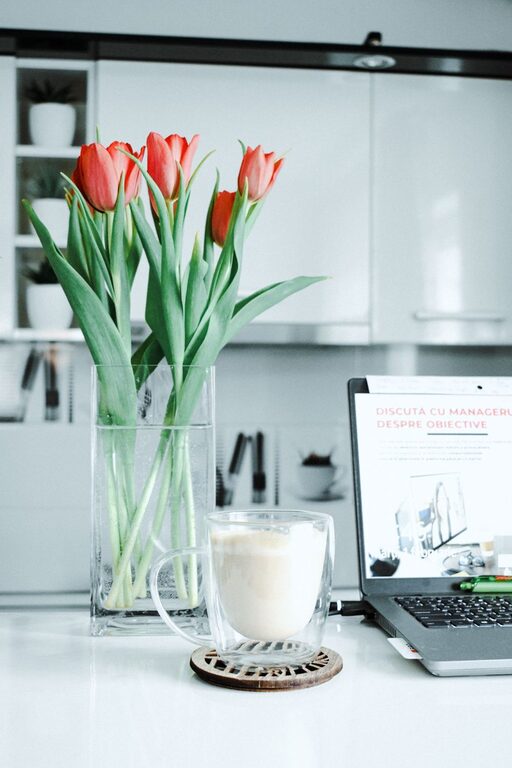
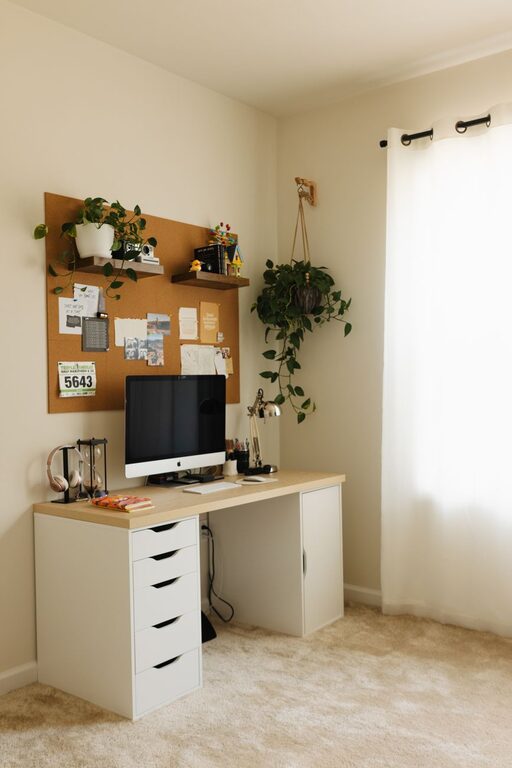
Creating a home office that is both cozy and productive can significantly improve your work-from-home experience. Whether you’re setting up a dedicated room or carving out a corner, the right environment helps boost focus and comfort, making work feel less like a chore. Here are some tips to help you design a home office space that supports your productivity and feels inviting at the same time.
Choose the Right Location
Find a Quiet Spot
Start by selecting a location with minimal distractions. Avoid high-traffic areas like the living room or kitchen if possible. A quiet corner or spare room works best. If space is limited, consider noise-cancelling headphones or soft partitions to create a sense of separation.
Prioritize Natural Light
Natural light not only reduces eye strain but also lifts your mood. Position your desk near a window to take advantage of daylight. If natural light is limited, invest in a good-quality desk lamp with adjustable brightness and color temperature.
Invest in Comfortable and Ergonomic Furniture
Choose Your Desk Wisely
Pick a desk that fits your space and meets your work needs. If you use multiple monitors or need paper space, opt for a larger surface. Adjustable-height desks are ideal for switching between sitting and standing throughout the day.
Select an Ergonomic Chair
A supportive chair with adjustable height, lumbar support, and comfortable padding can prevent back pain and fatigue. Remember to adjust it so your feet rest flat on the floor and your arms are parallel to the desk when typing.
Organize Your Space Efficiently
Declutter Regularly
Keeping your workspace tidy helps maintain focus and reduces stress. Use drawers, shelves, or baskets to store supplies and papers you don’t need every day. Limit items on your desk to essentials.
Use Smart Storage Solutions
Consider vertical storage like wall shelves or pegboards to maximize floor space. Label organizers and containers to find things quickly. Cable management tools are also helpful in keeping cords neat and out of sight.
Personalize to Make It Cozy
Add Soft Textures
Incorporate elements like a soft area rug, plush cushions, or a cozy throw blanket. These details make the space feel warmer and more inviting.
Include Greenery
Plants improve air quality and add a touch of nature. Choose low-maintenance options such as succulents, snake plants, or pothos, which thrive indoors and require little care.
Display Inspiring Items
Decorate with personal photos, artwork, or motivational quotes that encourage positivity and creativity. Just be mindful not to overcrowd your space.
Enhance Lighting and Ambience
Layer Your Lighting
Combine ambient lighting (ceiling lights), task lighting (desk lamps), and accent lighting (string lights or wall sconces) to create a balanced atmosphere that reduces eye strain.
Control Glare and Screen Reflection
Use curtains or blinds to manage sunlight and position your computer screen perpendicular to windows. Anti-glare screen protectors can also be helpful.
Incorporate Technology Thoughtfully
Use Efficient Equipment
Invest in reliable tech such as a fast internet connection, a quality keyboard and mouse, and a good monitor. Wireless devices help reduce cable clutter.
Backup Your Work
Set up automatic backups or cloud storage to protect important files and reduce worry.
Build a Routine-Friendly Layout
Separate Work and Relaxation Zones
If possible, create a clear boundary between your workspace and relaxation areas. This separation helps your brain switch between focused time and breaks.
Add a Break Corner
Include a comfortable chair or small nook where you can step away briefly to stretch, meditate, or recharge. It helps prevent burnout during long work sessions.
Keep Air Quality Fresh
Ventilate Regularly
Open windows or use an air purifier to keep air circulating and reduce stuffiness, which can boost concentration and energy.
Use Essential Oils (Optional)
A subtle diffuser with scents like lavender or peppermint may promote relaxation or alertness, depending on your preference.
—
Creating a home office that balances comfort with productivity is all about thoughtful planning and personalization. Start small by improving one or two aspects, and gradually build the workspace that best supports your workflow and well-being. With the right setup, you can enjoy a space that inspires you to do your best work every day.
About the Author